Cricket fever hits hard when your favorite teams are battling it out on the pitch, but who wants to miss the action just because you’re on the go? Whether you’re commuting, traveling, or relaxing at home, watching live cricket streams on your mobile is now easier than ever. In this guide, you’ll discover simple, legal ways to catch every ball, boundary, and wicket in real time—plus practical tips to make your experience smooth and enjoyable. No more scrambling for the TV remote; your phone can become your personal cricket stadium.
What Is Live Cricket Streaming on Mobile?
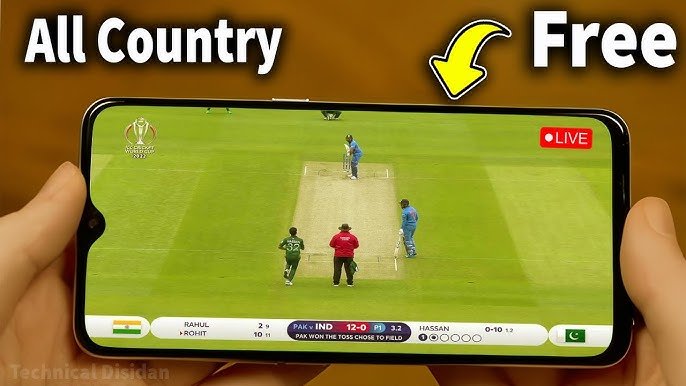
Live cricket streaming on mobile means accessing real-time video of matches directly on your smartphone or tablet. Instead of traditional TV, you use dedicated apps or mobile-optimized websites from official broadcasters. These streams deliver HD (or even 4K) quality with ball-by-ball commentary, scorecards, and instant replays. Popular tournaments like the IPL, T20 World Cup, Ashes, and bilateral series are all available this way, depending on your location and broadcaster rights.
The best part? It’s flexible. Most services work on both Android and iOS, letting you pause, rewind, or switch between matches with a tap.
Key Features and Benefits of Mobile Cricket Streaming
Mobile streaming has transformed how fans enjoy the game. Here are the standout benefits:
- Portability: Watch from anywhere—on a train, at the gym, or during a break at work.
- Real-time updates: Get live scores, expert commentary, and notifications for key moments like wickets or milestones.
- Multi-view options: Some apps let you follow multiple matches or switch to highlights without missing the main action.
- Cost-effective: Many official platforms offer affordable subscriptions or even free access for certain events.
- High-quality experience: HD/4K streams with low latency, plus features like picture-in-picture for multitasking.
Fans often say it’s a game-changer during big tournaments—imagine cheering for your team while stuck in traffic!
Best Tools, Options, and Methods to Watch Cricket Live on Mobile
The key is sticking to official, legal platforms. Rights holders vary by country, but here are the most reliable and widely used options available globally:
Official Streaming Apps
- Willow TV App (great for fans in the US and Canada): Streams major international and league matches, including the IPL. Available on iOS and Android with HD quality and easy mobile controls.
- Disney+ Hotstar / JioHotstar (popular in India and select regions): Covers IPL, international cricket, and more. The mobile plan is budget-friendly, with smooth streaming and multi-device support.
- ICC.tv: The official home for ICC events like the T20 World Cup. Free live streaming in many regions—check availability in your country via their website or app.
- ESPNcricinfo App: Excellent for live scores, ball-by-ball commentary, and video highlights. Pairs perfectly with other streaming services for a complete experience.
- Amazon Prime Video: Streams select cricket series in supported countries. The mobile app is user-friendly and integrates well with your existing Prime subscription.
- Regional favorites: Sky Go (UK), Kayo Sports (Australia), SuperSport (South Africa), and PTVFLIX (Pakistan) offer dedicated mobile apps with full live coverage.
Browser-Based Streaming
Many official sites (like ICC.tv or broadcaster portals) have mobile-friendly web players. Simply visit on your phone’s Chrome or Safari browser—no download needed. This works well if you prefer not to install extra apps.
Free and Accessible Options
Look for free-to-air broadcasts on platforms like YouTube (official channels often stream highlights or select matches) or ad-supported services in your region. Always verify through official sources for the latest schedules.
These methods ensure high-quality, buffer-free streaming when paired with a stable connection.
Comparison of Top Mobile Streaming Options
| Option | Best For | Pricing (approx.) | Mobile App Quality | Key Drawback |
|---|---|---|---|---|
| Willow TV | US/Canada fans | $10/month | Excellent HD | Region-specific |
| JioHotstar | IPL & Indian cricket | From Rs 79/month | Very smooth | Best in India/subcontinent |
| ICC.tv | International events | Free in select areas | Good | Availability varies |
| Sky Go / Kayo | UK/Australia | Subscription-based | Reliable | Higher cost for full access |
| ESPNcricinfo | Scores + highlights | Free with ads | Fast updates | Limited full-match video |
Choose based on your location and favorite teams—most offer trials or flexible plans.
Pros and Cons of Watching Cricket on Mobile
Pros:
- Ultimate convenience and freedom to watch on the move.
- Instant access with push notifications for live matches.
- Often cheaper than cable TV packages.
- Features like dark mode and data-saving options for longer sessions.
Cons:
- Data usage can add up for HD streams (use Wi-Fi when possible).
- Smaller screen compared to TV, though landscape mode helps.
- Geo-restrictions mean some content requires the right app for your region.
Overall, the pros far outweigh the cons for most fans today.
Practical Tips and Best Practices for Seamless Streaming
To get the most out of your mobile cricket experience:
- Internet speed matters: Aim for at least 5 Mbps for SD and 10+ Mbps for HD. Wi-Fi is ideal to avoid data charges.
- Update your apps: Keep streaming apps current for the latest features and bug fixes.
- Optimize your phone: Use landscape mode, enable low-data mode if needed, and close background apps to reduce lag.
- Notifications and alerts: Turn on match reminders so you never miss the toss or a key over.
- Battery life hacks: Lower screen brightness or use a power bank during long matches.
- Safe and legal viewing: Always download apps from official stores (Google Play or App Store) and stream through verified broadcasters.
A quick real-life tip from fans: Pair your phone with a Bluetooth speaker for better commentary audio while multitasking.
FAQs
Is it possible to watch live cricket for free on mobile?
Yes, in many regions through free options like ICC.tv (for select ICC events), JioCinema for IPL in India, or official YouTube streams. Availability depends on your location.
Which apps work best for Android and iOS?
Top choices include Willow TV, JioHotstar, ESPNcricinfo, and Sky Go. All are available on both platforms with excellent reviews for speed and reliability.
Do I need a VPN to watch cricket streams?
A reputable VPN can help access your home country’s services when traveling abroad (for content you’re already subscribed to). It’s a legal tool for privacy and flexibility—just check your broadcaster’s terms.
How much data does live cricket streaming use?
HD streaming typically uses 1–3 GB per hour. Switch to SD or use Wi-Fi to save data during longer matches.
Can I cast cricket streams from my mobile to a TV?
Absolutely—most apps support Chromecast, AirPlay, or screen mirroring for a bigger-screen experience.
Conclusion
Watching cricket matches live stream on mobile puts the excitement of the game right in your pocket. With official apps like Willow TV, JioHotstar, ICC.tv, and more, plus these simple tips, you can enjoy every match without missing a beat—no matter where you are.
Ready to upgrade your cricket viewing? Explore the official apps or websites for your favorite teams and tournaments today, and get ready for non-stop action. Cricket is better when it’s live—happy streaming!