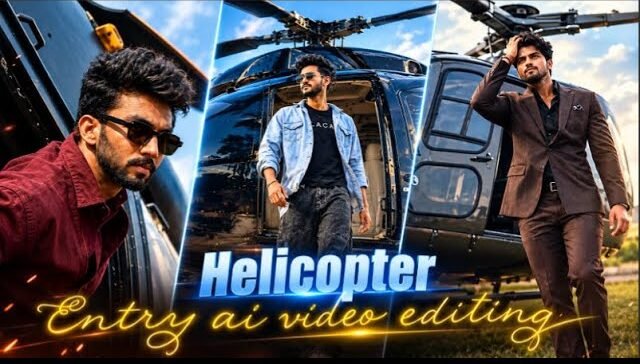
AI video generation has made it much easier to turn a simple image into a cinematic helicopter scene. A single uploaded image can be used as a visual reference while an AI video tool creates realistic movement, camera motion, lighting, and environmental details.
The trending helicopter AI video style is especially useful for short-form content because it can create dramatic aerial scenes without requiring a real helicopter, camera crew, or expensive equipment.
In this guide, you will learn how to create this type of video from an image and how to use a ready-made prompt for a realistic result.
What Is a Helicopter AI Video?
A helicopter AI video is a short AI-generated clip that uses an uploaded image or visual reference and adds realistic motion around it.
Depending on the tool, you can create scenes such as:
Helicopter flying over a city
Cinematic helicopter landing
Aerial mountain flight
Helicopter moving through a dramatic landscape
Low-altitude cinematic flight
Sunset helicopter scene
Realistic helicopter takeoff
The most important part is not simply describing a helicopter. The prompt should explain how the scene moves, how the camera behaves, and how the environment changes during the video.
What You Need Before Creating the Video
You normally need three things:
1. A Clear Reference Image
Use a high-quality image that clearly shows the main subject or helicopter.
Avoid images that are heavily blurred, extremely dark, or cropped in a way that hides important details.
2. An AI Video Generator
Choose an AI video generator that supports image-to-video generation.
Upload your reference image and use it as the primary visual reference.
3. A Short Motion Prompt
Do not make the prompt unnecessarily complicated.
A good prompt should clearly explain:
Subject movement
Camera movement
Environment
Lighting
Speed
Duration
Visual consistency
How to Create a Trending Helicopter AI Video
Step 1: Choose Your Image
Start with a clear reference image.
If you want the AI to preserve a specific helicopter or character, make sure the important visual details are visible in the original image.
The better the reference image, the easier it is for the model to maintain consistency.
Step 2: Upload the Image
Open your preferred image-to-video AI tool and upload the image.
Select the image-to-video option if the platform provides different generation modes.
Do not immediately add a huge description. Start with a focused motion prompt.
Step 3: Describe the Movement
The AI needs to know what should move.
For a helicopter scene, you might specify:
Rotor blades rotating naturally
Helicopter moving forward
Smooth altitude change
Natural environmental movement
Realistic camera tracking
The prompt should describe movement rather than inventing unnecessary objects.
Step 4: Add Camera Movement
Camera movement can make a simple AI clip look much more cinematic.
Useful camera instructions include:
slow tracking shot, smooth aerial follow, wide establishing shot, cinematic side angle, and slow camera movement.
Avoid combining too many camera movements in one short clip because this can create unstable results.
Step 5: Control the Environment
Tell the AI what should happen in the background.
For example, you can specify:
Clouds moving naturally
Buildings remaining stable
Mountains in the distance
Sunlight changing naturally
Light wind affecting the environment
This helps create a more believable scene.
Helicopter AI Video Prompt
Prompt 1
MASTER AI VIDEO PROMPT — CINEMATIC HELICOPTER ACTION
VIDEO PROMPT 1 — SCENE 1, 2, 3, 4 & 5 ONLY
Total Scenes: Exactly 5 scenes
Scene Range: Scene 1–Scene 5
Format: 9:16 Vertical
Resolution: 1080p
Style: Photorealistic cinematic action-movie realism
Location: Same red-earth quarry terrain throughout all 5 scenes.
1. UPLOADED REFERENCE IMAGE — STRICT SAME-TO-SAME IDENTITY LOCK
Use the uploaded male reference photo as the ONLY identity source for the man.
MOST IMPORTANT INSTRUCTION: THE MAN’S FACE MUST NOT CHANGE AT ALL.
The man must look exactly the same as the uploaded reference photo in every frame of every scene.
DO NOT CHANGE HIS FACE EVEN SLIGHTLY.
DO NOT CHANGE HIS BODY STRUCTURE EVEN SLIGHTLY.
DO NOT CHANGE HIS HAIRSTYLE EVEN SLIGHTLY.
Preserve the exact same recognizable identity from the reference image.
EXACT FACE PRESERVATION
Preserve every detail of the man’s face:
– Exact face shape and facial proportions.
– Exact forehead and hairline.
– Exact eyebrows and eyebrow shape.
– Exact eyes, eye shape, eye size and eye spacing.
– Exact nose shape, nose bridge and nose tip.
– Exact lips, mouth shape and natural facial details.
– Exact cheeks, jawline and chin.
– Exact natural skin tone.
– Exact natural skin texture.
– Exact age appearance.
– Exact hairstyle and hair texture.
– Exact facial hair, if present in the reference.
– Exact recognizable identity.
The reference-image man’s face must remain 100% SAME-TO-SAME throughout the entire video.
No generic face.
No actor replacement.
No face redesign.
No face beautification.
No artificial skin smoothing.
No facial feature changes.
No face morphing.
No face flickering.
No identity drift.
No face replacement.
No face distortion.
No skin-tone change.
No hairstyle change.
No facial hair change.
BODY STRUCTURE & HEIGHT LOCK
Use the exact body build, body proportions and height shown in the uploaded reference photo.
Preserve:
– Natural body structure.
– Exact body build.
– Natural shoulder width.
– Natural arm proportions.
– Natural leg proportions.
– Natural height appearance.
– Natural body shape.
– Realistic anatomy.
Do not make the man muscular if he is not muscular in the reference.
Do not make the man thinner or heavier than the reference.
Do not change his body structure.
Do not change his height appearance.
Do not make him look like a different person.
The man must retain the exact same natural body proportions in every scene.
2. STRICT SAME-TO-SAME CLOTHING LOCK
Use the clothing specified in the original video prompt.
The man’s outfit must remain consistent with the exact scene instructions below.
Do not randomly change the man’s clothes.
Do not change clothing colors.
Do not change clothing design.
Do not change clothing fabric.
Do not replace the outfit with a different style.
Do not add unnecessary accessories.
Do not remove clothing unless specifically instructed in the scene.
SCENE 1 OUTFIT
Navy blue trousers and black sneakers during the helicopter exit.
Black sunglasses must be worn as specified in the scene.
SCENE 2–5 OUTFIT
Black jacket/top over navy jogger pants, black sneakers, black sunglasses and black wristwatch.
Maintain the exact same clothing appearance throughout these scenes.
No outfit morphing.
No clothing flickering.
No clothing color change.
No random wardrobe change.
3. GLOBAL LOCATION & ENVIRONMENT LOCK
Same location throughout Scene 1 to Scene 5.
Do not change the environment.
Quarry Terrain
– Dramatic red-earth quarry terrain.
– Layered rust-colored rock formations.
– Terraced red-rock quarry walls.
– Small natural erosion details in the ground.
– Rich red and earthy brown colors.
– Natural dusty ground texture.
– Pale sky above the quarry.
Helicopter
A dark green helicopter.
Visible helicopter body structure.
Visible tail rotor assembly.
Visible metal skid.
Visible helicopter door.
Visible antenna details.
The helicopter must remain realistic and consistent in appearance.
Lighting
Bright natural daylight.
Pale sky.
Strong sunlight on the red terrain.
Realistic natural shadows.
Cinematic high-contrast action-movie lighting.
No artificial colored lights.
No fantasy lighting.
Color Grade
Cinematic warm-toned action-movie grade.
Rich reds.
Earthy browns.
Dark green helicopter.
Sharp dramatic details.
Consistent color grading across all 5 scenes.
4. EXACT SCENE SEQUENCE
SCENE 1 — HELICOPTER EXIT & DOOR PEEK
Time: 0:00–0:03
Camera: Extreme close-up to close-up cinematic framing.
Opening Frame — Extreme Close-Up of Leg and Sneaker
Start with an extreme close-up of the man’s lower leg and foot inside the helicopter’s open door.
Show:
– Navy blue trousers.
– Black sneaker.
– Helicopter metal skid.
– Open helicopter doorway.
– Realistic metal textures.
– Natural daylight reflections.
The man’s black sneaker slowly moves downward.
His foot steps onto the helicopter’s metal skid.
The foot placement must look physically realistic.
Natural body weight transfer.
Correct foot anatomy.
No floating foot.
No distorted shoe.
No extra legs.
No unnatural movement.
Action — Stepping Down
The man carefully steps down inside the helicopter’s open doorway.
His navy trousers move naturally with his leg.
The black sneaker makes realistic contact with the metal skid.
The camera captures the detailed shoe sole, trouser fabric and metal surface.
Maintain realistic motion and natural balance.
The man’s exact body proportions must remain unchanged.
Action — Door Peek
After stepping down, the man peeks through the narrowly-opened helicopter door.
He grips the door handle with one hand.
He looks down and outward from the helicopter.
His black sunglasses are worn on his face.
His face must remain exactly the same as the uploaded reference image.
The sunglasses must not change his facial identity.
The face behind and around the sunglasses must remain consistent with the reference.
Face & Identity
DO NOT CHANGE THE MAN’S FACE.
DO NOT CHANGE HIS BODY STRUCTURE.
DO NOT CHANGE HIS HAIRSTYLE.
The man’s exact facial features, natural skin tone and recognizable identity must remain unchanged.
Camera Movement
Begin with extreme close-up of the foot.
Move smoothly upward toward the door area.
Reveal the man’s hand gripping the handle.
Reveal the sunglasses and face as he peeks outward.
Keep the camera cinematic and physically realistic.
Lighting
Bright natural daylight enters through the helicopter doorway.
The helicopter interior is slightly darker than the outside quarry.
Realistic contrast between the dark helicopter and bright red-earth environment.
Scene 1 Ending
End with the man peeking through the narrowly-opened door, gripping the handle and looking down and outward.
Preserve the exact same face, body structure, hairstyle and clothing.
SCENE 2 — CALM INTENSE LOOK
Time: 0:03–0:06
Camera: Close-up cinematic portrait shot.
Composition
The man is shown from the chest or shoulders upward.
He is standing near the helicopter.
The helicopter structure is softly blurred behind him.
The background contains the same red-earth quarry environment.
Maintain the same daylight and warm action-movie color grade.
Action
The man looks upward and to the side.
He maintains a calm, intense and confident expression.
His head turns naturally.
His eyes remain focused.
His black sunglasses remain on his face.
His black jacket/top is visible.
The camera captures realistic facial details and natural skin texture.
Face Lock
THE MAN’S FACE MUST REMAIN EXACTLY THE SAME AS THE UPLOADED REFERENCE PHOTO.
No face change.
No face morphing.
No identity drift.
No facial redesign.
No skin-tone change.
No hairstyle change.
No face flickering.
No generic face.
No actor replacement.
The exact same forehead, eyebrows, eyes, nose, lips, cheeks, jawline and chin must remain unchanged.
Even while looking upward and sideways, his face must remain the same.
Clothing
Black jacket/top.
Navy jogger pants, if visible.
Black sunglasses.
Black wristwatch, if visible.
Maintain exact same outfit continuity.
No clothing changes.
No random accessories.
Background
The helicopter structure is softly blurred.
The red quarry terrain remains visible behind him.
No extra people.
No audience.
No additional vehicles.
No background replacement.
Lighting
Natural daylight illuminates the man’s face.
Subtle highlights on the black jacket.
Soft shadows on the face.
Warm cinematic action-movie grade.
Scene 2 Ending
End with a calm, intense close-up of the man looking up and to the side.
The face, body structure, hairstyle and outfit remain unchanged.
SCENE 3 — JOGGING AWAY FROM HELICOPTER
Time: 0:06–0:09
Camera: Wide cinematic action shot.
Composition
Show the man jogging away from the dark green helicopter across the red quarry terrain.
The man is visible full-body.
The helicopter remains behind him.
A red terraced quarry wall fills the background.
The main rotor blade sweeps across the frame.
Action
The man begins jogging away from the helicopter.
His movement is confident and natural.
His arms swing realistically.
His legs move with natural running mechanics.
His black sneakers make realistic contact with the red ground.
His navy jogger pants move naturally.
His black jacket/top remains consistent.
His black sunglasses remain on his face.
Helicopter Rotor
The main rotor blade sweeps across the frame.
The rotor movement must look realistic.
Natural motion blur on the rotor blade.
No impossible rotor movement.
No distorted helicopter structure.
Maintain the dark green helicopter appearance.
Face & Identity
The man must retain the exact same face as the uploaded reference image.
DO NOT CHANGE HIS FACE DURING RUNNING.
DO NOT CHANGE HIS BODY STRUCTURE DURING RUNNING.
DO NOT CHANGE HIS HAIRSTYLE DURING RUNNING.
No face flickering.
No identity drift.
No facial distortion.
No generic face.
No actor replacement.
The face must remain consistent even during motion blur and wide-shot movement.
Body Structure
Maintain the exact natural height and body build from the reference image.
No unnatural muscle enlargement.
No body stretching.
No body shrinking.
No distorted limbs.
No extra arms or legs.
No unnatural running posture.
Background
Red terraced quarry wall.
Rust-colored rock formations.
Dark green helicopter.
Bright natural daylight.
Pale sky.
Same red-earth terrain.
Camera Movement
Use a smooth wide cinematic tracking movement.
Keep the man visible in the frame.
The main rotor blade sweeps dynamically across the foreground.
Maintain realistic depth and scale.
Scene 3 Ending
End with the man jogging away from the helicopter across the red terrain.
The helicopter and red quarry wall remain consistent.
SCENE 4 — HELICOPTER TAIL ROTOR & ANTENNA DETAIL
Time: 0:09–0:12
Camera: Close-up detail shot with shallow depth of field.
Composition
Focus sharply on the dark green helicopter’s tail rotor and antenna assembly.
The tail rotor is in the foreground.
The antenna assembly is clearly visible.
The man appears as a small blurred silhouette walking far in the deep background.
Helicopter Detail
Show realistic:
– Tail rotor blades.
– Rotor hub.
– Antenna assembly.
– Dark green helicopter body.
– Metal components.
– Natural daylight reflections.
– Realistic mechanical textures.
The tail rotor must look physically accurate.
No distorted rotor blades.
No extra rotor parts.
No impossible mechanical shapes.
Man in Background
The man walks far away on the red quarry terrain.
He appears small and softly blurred.
His silhouette must remain consistent with the reference image.
His body build and height appearance must remain natural.
His black outfit and sunglasses remain consistent.
Even though the man is blurred in the background, do not replace him with a different person.
Maintain the same male identity.
Environment
Red-earth quarry terrain.
Rust-colored rock formations.
Layered red quarry walls.
Bright natural daylight.
Pale sky.
Warm cinematic action-movie grade.
Camera & Focus
The helicopter tail rotor and antenna are in sharp focus.
The man is in deep background blur.
Use realistic cinematic depth of field.
No camera shake.
No unnatural blur.
Scene 4 Ending
End on a sharp detailed close-up of the helicopter tail rotor and antenna assembly.
The man remains a blurred silhouette walking in the background.
SCENE 5 — LOW-ANGLE FACE PORTRAIT
Time: 0:12–0:15
Camera: Close-up low-angle cinematic portrait.
Composition
The camera is positioned slightly below the man’s face.
The man looks calm and intense.
His black sunglasses are on.
The helicopter tail structure is blurred at the top of the frame.
Open pale sky is visible behind him.
Action
The man stands confidently near the helicopter.
He looks forward or slightly to the side with a calm intense expression.
His posture is natural and confident.
His face is clearly visible.
His black sunglasses remain on his face.
Face Preservation
THE MAN’S FACE MUST REMAIN 100% SAME-TO-SAME AS THE UPLOADED REFERENCE IMAGE.
No face changes.
No identity drift.
No face morphing.
No facial distortion.
No skin-tone change.
No hairstyle change.
No facial redesign.
No generic face.
No actor replacement.
The exact same forehead, eyebrows, eyes, nose, lips, cheeks, jawline and chin must remain unchanged.
The sunglasses must not alter the underlying face.
The man must look exactly like the reference photo.
Body Structure
Preserve the exact natural body build, height and proportions from the reference image.
No muscle enhancement.
No body distortion.
No unnatural anatomy.
Clothing
Black jacket/top.
Navy jogger pants, if visible.
Black sunglasses.
Black wristwatch, if visible.
Maintain the same outfit as specified.
No clothing changes.
No outfit replacement.
Background
Helicopter tail structure blurred at the top of the frame.
Open pale sky behind him.
Red-earth quarry environment.
Same dark green helicopter.
Lighting
Natural daylight illuminates his face.
Subtle sunlight highlights on his skin and sunglasses.
Warm cinematic action-movie color grade.
Sharp facial detail.
Realistic shadows.
Scene 5 Ending
End with the man’s calm intense low-angle portrait.
His face remains exactly the same as the reference.
His body structure remains unchanged.
His hairstyle remains unchanged.
His outfit remains consistent.
5. FINAL NEGATIVE PROMPT
No face changes.
No face morphing.
No identity drift.
No face flickering.
No generic faces.
No actor replacement.
No facial redesign.
No beautification.
No skin-tone change.
No hairstyle change.
No beard change.
No body structure change.
No body build change.
No height distortion.
No unnatural body proportions.
No extra limbs.
No broken anatomy.
No distorted hands.
No extra fingers.
No clothing changes.
No outfit replacement.
No clothing color changes.
No clothing morphing.
No sunglasses distortion.
No extra people.
No audience.
No extra vehicles.
No extra helicopters.
No additional lights.
No fantasy environment.
No background replacement.
No unrealistic helicopter mechanics.
No distorted rotor blades.
No unrealistic motion blur.
No CGI appearance.
No cartoon style.
No text.
No logos.
No watermark.
6. FINAL ABSOLUTE CONTINUITY REQUIREMENTS
IDENTITY
THE MAN’S FACE MUST NOT CHANGE EVEN SLIGHTLY.
THE MAN’S BODY STRUCTURE MUST NOT CHANGE EVEN SLIGHTLY.
THE MAN’S HAIRSTYLE MUST NOT CHANGE EVEN SLIGHTLY.
Same exact male reference face.
Same exact facial features.
Same exact skin tone.
Same exact hairstyle.
Same exact body build.
Same exact height appearance.
Same exact recognizable identity.
CLOTHING
Same exact clothing specified for each scene.
Black sunglasses remain on as instructed.
No outfit changes.
No clothing morphing.
No clothing flickering.
No clothing color changes.
LOCATION
Same red-earth quarry terrain.
Same rust-colored rock formations.
Same dark green helicopter.
Same pale sky.
Same warm cinematic color grade.
OUTPUT
Exactly 5 scenes only.
Scene 1 followed by Scene 2, Scene 3, Scene 4 and Scene 5.
9:16 vertical.
1080p.
Photorealistic cinematic action-movie realism.
High frame rate.
Crisp focus.
Realistic movement.
Consistent identity.
Consistent clothing.
Consistent environment.
FINAL COMMAND
PRESERVE THE EXACT SAME MAN FROM THE UPLOADED REFERENCE IMAGE. HIS FACE MUST NOT CHANGE. HIS BODY STRUCTURE MUST NOT CHANGE. HIS HAIRSTYLE MUST NOT CHANGE.
Generate exactly Scene 1, Scene 2, Scene 3, Scene 4 and Scene 5. No additional scenes.
Prompt 2
MASTER AI VIDEO PROMPT — CINEMATIC HELICOPTER ACTION
VIDEO PROMPT 2 — SCENE 6, 7, 8, 9 & 10 ONLY
Total Scenes: Exactly 5 scenes
Scene Range: Scene 6–Scene 10
Video Duration: 5 scenes in one continuous cinematic sequence
Format: 9:16 Vertical
Resolution: 1080p
Style: Photorealistic cinematic action-movie realism
Color Grade: Warm-toned action-movie grade, rich reds and earthy browns, high contrast, sharp dramatic detail.
1. UPLOADED REFERENCE PHOTO — EXTREMELY STRICT SAME-TO-SAME IDENTITY LOCK
MOST IMPORTANT INSTRUCTION — THE MAN MUST REMAIN EXACTLY THE SAME
Use the uploaded male reference photo as the ONLY identity source for the man.
THE MAN’S FACE MUST NOT CHANGE AT ALL.
THE MAN’S FACE MUST REMAIN 100% SAME-TO-SAME AS THE UPLOADED REFERENCE PHOTO.
DO NOT CHANGE HIS FACE EVEN SLIGHTLY.
DO NOT CHANGE HIS BODY STRUCTURE EVEN SLIGHTLY.
DO NOT CHANGE HIS HAIRSTYLE EVEN SLIGHTLY.
The exact same man from the uploaded reference image must appear in Scene 6, Scene 7, Scene 8, Scene 9 and Scene 10.
No new face.
No generic face.
No actor replacement.
No face redesign.
No face beautification.
No artificial face enhancement.
No skin-tone change.
No facial feature change.
No face morphing.
No face flickering.
No identity drift.
No facial distortion.
No facial feature mixing.
No face replacement.
The uploaded reference photo must be followed exactly in every frame.
MAN — EXACT FACE PRESERVATION
Preserve the exact facial details from the uploaded reference image:
– Exact face shape and facial proportions.
– Exact forehead and hairline.
– Exact eyebrows and eyebrow shape.
– Exact eyes, eye shape, eye size and eye spacing.
– Exact nose shape, nose bridge and nose tip.
– Exact lips and mouth shape.
– Exact cheeks.
– Exact jawline.
– Exact chin.
– Exact hairstyle and hair texture.
– Exact facial hair, if present in the reference.
– Exact natural skin tone.
– Exact natural skin texture.
– Exact age appearance.
– Exact recognizable identity.
THE MAN’S FACE MUST REMAIN UNCHANGED DURING WALKING, COLLAR ADJUSTMENT, LOOKING SIDEWAYS, GATE OPENING AND ALL MOVEMENTS.
Even during close-up shots, sunglasses, dramatic lighting, motion blur and shadows, the face must remain the exact same face from the uploaded reference photo.
BODY STRUCTURE & HEIGHT LOCK
Use the exact body build, height appearance and natural proportions shown in the uploaded reference photo.
Preserve:
– Exact natural body build.
– Exact body proportions.
– Natural shoulder width.
– Natural arm proportions.
– Natural leg proportions.
– Natural height appearance.
– Natural body shape.
– Realistic anatomy.
DO NOT MAKE THE MAN MORE MUSCULAR THAN THE REFERENCE.
DO NOT MAKE THE MAN THINNER OR HEAVIER THAN THE REFERENCE.
Do not stretch his body.
Do not shrink his body.
Do not change his height.
Do not change his natural body structure.
Do not create an actor-like body.
The man must remain the exact same person with the same natural body structure throughout all 5 scenes.
2. STRICT CLOTHING & SUNGLASSES CONTINUITY
EXACT SAME OUTFIT AS THE ORIGINAL VIDEO PROMPT
The man’s clothing must remain consistent with the original video prompt.
DO NOT RANDOMLY CHANGE HIS CLOTHES.
Do not change clothing colors.
Do not change clothing design.
Do not change clothing fabric.
Do not replace the outfit.
Do not add unnecessary accessories.
Do not remove clothing unless specifically instructed.
SCENE 6–10 OUTFIT
– Black jacket/top over navy jogger pants.
– Black sneakers.
– Black sunglasses.
– Black wristwatch.
THE MAN MUST WEAR THE SAME CLOTHES THROUGHOUT SCENE 6, SCENE 7, SCENE 8, SCENE 9 AND SCENE 10.
No outfit morphing.
No clothing flickering.
No clothing color change.
No clothing redesign.
No random wardrobe change.
No missing clothing details.
SUNGLASSES LOCK
The man must wear black sunglasses as specified.
The sunglasses must remain consistent in shape, color, size and position.
EVEN AFTER WEARING SUNGLASSES, THE MAN’S FACE MUST REMAIN EXACTLY THE SAME AS THE UPLOADED REFERENCE PHOTO.
Do not change his face because of the sunglasses.
Do not create a different face behind the sunglasses.
Do not change his facial structure.
Do not change his skin tone.
The sunglasses must look naturally worn on the exact same reference face.
WRISTWATCH LOCK
The black wristwatch must remain consistent.
The watch must be visible naturally when the man adjusts his collar, touches his clothing or reaches toward the iron gate.
Do not change the watch design or color.
3. GLOBAL LOCATION & ENVIRONMENT LOCK
SAME LOCATION THROUGHOUT SCENE 6 TO SCENE 10.
Do not change the location.
Do not replace the background.
Do not create a new environment.
QUARRY TERRAIN
– Dramatic red-earth quarry terrain.
– Layered rust-colored rock formations.
– Terraced red-rock quarry walls.
– Small eroded rock and dirt details.
– Rich red and earthy brown colors.
– Natural dusty ground.
– Pale sky.
– Bright natural daylight.
HELICOPTER
Dark green helicopter.
Visible rotor structure.
Visible tail assembly where applicable.
Realistic helicopter proportions.
Natural mechanical details.
IRON GATE
Old rustic iron gate.
Weathered dark metal texture.
Ornate decorative design.
Decorative padlock and chain.
Realistic rusty surface.
Natural hinges and gate structure.
The same gate must remain consistent in Scene 8, Scene 9 and Scene 10.
LIGHTING
Bright natural daylight.
Pale sky.
Warm sunlight on the man’s face and clothing.
Realistic shadows on the ground.
High-contrast cinematic action-movie lighting.
No additional artificial lights.
No fantasy lighting.
COLOR GRADE
Warm cinematic action-movie color grade.
Rich red quarry terrain.
Earthy brown rock formations.
Dark green helicopter.
Dark rustic iron gate.
Sharp dramatic details.
Consistent color grading across all 5 scenes.
4. EXACT SCENE SEQUENCE
SCENE 6 — CONFIDENT WALK & COLLAR/BEARD TOUCH
Time: 0:00–0:03
Camera: Full-body medium shot with smooth cinematic tracking.
COMPOSITION
Show the man walking confidently across the red-earth quarry terrain.
Frame him from head to feet or in a full-body medium-wide composition.
The terraced red-rock quarry wall is visible behind him.
Maintain the same bright natural daylight and warm cinematic color grade.
ACTION
The man walks forward with calm confidence and natural body movement.
His posture is upright and relaxed.
He takes realistic steps across the dusty red ground.
His black sneakers make natural contact with the terrain.
His navy jogger pants move naturally with his legs.
His black jacket/top remains unchanged.
His black sunglasses remain on his face.
His black wristwatch remains consistent.
COLLAR/BEARD TOUCH
While walking, the man raises one hand and touches his collar or beard naturally.
The hand movement must be smooth and realistic.
Correct hand anatomy.
Natural finger placement.
No extra fingers.
No broken hands.
No unnatural wrist bending.
The movement must look like a confident cinematic action-hero gesture.
FACE & IDENTITY
THE MAN’S FACE MUST REMAIN EXACTLY THE SAME AS THE UPLOADED REFERENCE PHOTO.
No face change.
No identity drift.
No face morphing.
No face flickering.
No face redesign.
No skin-tone change.
No hairstyle change.
No generic face.
No actor replacement.
Even while touching his collar or beard, his face must remain the exact same face.
BODY STRUCTURE
Preserve the exact body build and height appearance from the reference image.
No muscular enhancement.
No body distortion.
No unnatural proportions.
No stretching or shrinking.
CLOTHING
Black jacket/top.
Navy jogger pants.
Black sneakers.
Black sunglasses.
Black wristwatch.
Keep the exact same clothing throughout this scene.
BACKGROUND
Terraced red-rock quarry wall.
Layered rust-colored rock formations.
Red dusty terrain.
Pale sky.
Bright natural daylight.
CAMERA MOVEMENT
Smooth cinematic tracking shot.
Maintain natural perspective.
Keep the man clearly visible.
No sudden zoom.
No unnecessary camera shake.
SCENE 6 ENDING
End with the man walking confidently while touching his collar or beard with one hand.
His exact face, body structure, hairstyle and clothing remain unchanged.
SCENE 7 — COLLAR ADJUSTMENT WITH BOTH HANDS
Time: 0:03–0:06
Camera: Close-up cinematic portrait shot.
COMPOSITION
Show the man from chest-up or shoulders-up.
The man is standing near the quarry terrain.
The helicopter’s rotor blade is visible behind him, blurred diagonally across the frame.
The background remains the same red-earth quarry environment.
ACTION
The man raises both hands toward his collar.
He adjusts his collar with both hands.
The movement is calm, controlled and confident.
His fingers grip the collar naturally.
His hands move smoothly.
His shoulders and arms move with realistic human anatomy.
His black jacket/top remains unchanged.
His black sunglasses remain on his face.
His black wristwatch remains visible when naturally shown.
FACE & EXPRESSION
The man looks to the side.
His expression is calm, intense and confident.
His head turns naturally.
His facial features remain exactly the same.
DO NOT CHANGE THE MAN’S FACE.
DO NOT CHANGE HIS FACIAL PROPORTIONS.
DO NOT CHANGE HIS SKIN TONE.
DO NOT CHANGE HIS HAIRSTYLE.
No face morphing.
No identity drift.
No face flickering.
No facial redesign.
No generic face.
No actor replacement.
The exact same man must appear in this close-up as in the uploaded reference photo.
SUNGLASSES
Black sunglasses remain on his face.
The sunglasses must not alter his face shape.
The face around and behind the sunglasses must remain consistent with the reference image.
No sunglasses distortion.
No sunglasses color change.
No random eyewear.
CLOTHING
Black jacket/top.
Navy jogger pants, if visible.
Black sunglasses.
Black wristwatch.
Maintain the exact same outfit.
BACKGROUND
The helicopter rotor blade is blurred diagonally behind him.
The red quarry terrain remains consistent.
No additional people.
No extra helicopters.
No background replacement.
LIGHTING
Bright natural daylight.
Subtle warm highlights on the man’s skin.
Realistic shadows on the jacket.
Warm action-movie color grade.
SCENE 7 ENDING
End with the man adjusting his collar using both hands while looking to the side.
The exact same face and exact same clothing remain unchanged.
SCENE 8 — ORNATE PADLOCK & CHAIN LOCKED THEN UNLOCKED
Time: 0:06–0:10
Camera: Macro close-up detail shot, followed by a low close-up near the man’s feet.
PART A — LOCKED PADLOCK
Start with a close-up of an old ornate padlock and chain hanging from the rustic iron gate.
The padlock is locked.
The chain is wrapped securely around the gate.
Show detailed weathered metal texture.
Show rust, scratches and realistic worn surfaces.
The padlock must look old, heavy and authentic.
The iron gate is dark, rustic and ornate.
CAMERA DETAIL
Use shallow depth of field.
The padlock and chain are in sharp focus.
The gate texture is clearly visible.
The red quarry terrain is softly blurred behind the gate.
Natural daylight creates realistic highlights on the metal.
PART B — UNLOCKED PADLOCK ON THE GROUND
Transition to the same padlock and chain now unlocked and lying on the red ground near the man’s feet.
The padlock must remain the same padlock.
The chain must remain the same chain.
Do not change the padlock design.
Do not change the chain design.
Do not replace the gate.
MAN’S FEET
Show the man’s black sneakers near the unlocked padlock and chain.
His navy jogger pants are visible.
The same clothing remains unchanged.
The same body proportions remain consistent.
IDENTITY & CLOTHING
If the man’s legs or body are visible, preserve the exact body build from the uploaded reference image.
If his face is shown, preserve the exact same reference face.
No face change.
No body structure change.
No clothing change.
ACTION
The locked padlock and chain are shown first.
Then the same padlock and chain are shown unlocked on the red ground near the man’s feet.
The transition must be clear and realistic.
No magical transformation.
No impossible movement.
No extra hands.
No distorted metal.
LIGHTING
Bright natural daylight.
Warm red-earth color grade.
Realistic shadows beneath the padlock and chain.
SCENE 8 ENDING
End with the same unlocked padlock and chain lying on the red ground near the man’s black sneakers.
The same rustic iron gate remains in the environment.
SCENE 9 — HAND PUSHING THE IRON GATE OPEN
Time: 0:10–0:13
Camera: Close-up action shot focused on the man’s hand and gate.
COMPOSITION
Show the man’s hand reaching toward the old rustic iron gate.
The gate is weathered, dark and ornate.
The man’s black wristwatch is clearly visible.
The red quarry terrain remains in the background.
ACTION — HAND REACH
The man extends his hand toward the gate.
His fingers approach the metal gate naturally.
The hand movement is smooth and realistic.
Correct hand anatomy.
Natural wrist movement.
No extra fingers.
No broken fingers.
No unnatural bending.
ACTION — PUSHING THE GATE
The man places his hand against the iron gate.
He pushes the gate open.
The gate swings naturally on its hinges.
The movement is controlled and physically believable.
The rusty metal surface catches natural daylight.
The decorative gate design remains consistent.
WRISTWATCH DETAIL
The black wristwatch is clearly visible on his wrist.
Preserve the same watch design and color.
The watch must remain realistic.
No random watch replacement.
FACE & IDENTITY
If the man’s face is visible in the shot:
THE MAN’S FACE MUST REMAIN EXACTLY THE SAME AS THE UPLOADED REFERENCE PHOTO.
No face changes.
No identity drift.
No face morphing.
No facial distortion.
No skin-tone change.
No hairstyle change.
No generic face.
No actor replacement.
CLOTHING
Black jacket/top.
Navy jogger pants, if visible.
Black sneakers, if visible.
Black sunglasses, if visible.
Black wristwatch.
Keep the exact same outfit.
ENVIRONMENT
Same old rustic iron gate.
Same red-earth quarry terrain.
Same terraced red-rock formations.
Same pale sky.
Same bright daylight.
CAMERA MOVEMENT
Use a smooth close-up action camera movement.
Focus on the hand, wristwatch and gate.
Keep the gate’s opening motion clear.
No sudden camera shake.
No unnatural camera movement.
SCENE 9 ENDING
End with the man’s hand pushing the iron gate open.
The wristwatch is visible.
The gate is partially open.
The same quarry environment remains consistent.
SCENE 10 — LOW WORM’S-EYE VIEW OF THE GATE OPENING
Time: 0:13–0:16
Camera: Low worm’s-eye-view shot from ground level.
CAMERA POSITION
Place the camera very low on the red ground.
The camera looks upward toward the rustic iron gate.
The gate is swinging open.
The perspective must feel dramatic and cinematic.
ACTION — GATE SWINGING OPEN
The old iron gate swings open naturally.
The hinges move realistically.
The gate reveals the warm red quarry terrain through the opening.
The rusty iron texture remains detailed.
The gate’s ornate design remains consistent.
MAN’S LEGS & SHOES
The man’s legs and black sneakers are visible in silhouette behind the gate.
His navy jogger pants remain consistent.
His body proportions must remain natural.
His height appearance must remain consistent with the reference photo.
The silhouette must belong to the exact same man.
No body distortion.
No extra limbs.
No unnatural leg proportions.
CLOTHING
Black jacket/top.
Navy jogger pants.
Black sneakers.
Black sunglasses, if visible.
Black wristwatch, if visible.
The same clothes must remain unchanged.
BACKGROUND
Red terrain glowing warmly through the gate opening.
Layered rust-colored quarry formations.
Pale sky.
Bright natural daylight.
Warm action-movie color grade.
LIGHTING
Natural daylight enters through the open gate.
The red ground glows with warm sunlight.
The man’s legs and shoes appear as a dramatic silhouette.
Realistic shadows beneath the gate.
No additional lights.
CAMERA & MOTION
Low worm’s-eye perspective.
Smooth cinematic movement.
Natural gate swinging motion.
Realistic foot placement.
No floating feet.
No distorted shoes.
No unnatural physics.
SCENE 10 ENDING
End with the gate open and the man’s legs and shoes visible in silhouette behind it.
The red quarry terrain glows warmly through the opening.
The same location, clothing and identity remain consistent.
5. WATERMARK REQUIREMENT
Watermark: Small semi-transparent text “NoorEditing07”.
Position: Bottom-right corner.
The watermark must remain visible consistently throughout Scene 6, Scene 7, Scene 8, Scene 9 and Scene 10.
Use small, clean, unobtrusive text.
Do not place it over the man’s face.
Do not make it large.
Do not change the watermark text.
Do not add any other logos or text.
6. FINAL NEGATIVE PROMPT
No face changes.
No identity drift.
No generic faces.
No actor replacement.
No face morphing.
No face flickering.
No facial feature mixing.
No skin-tone changes.
No hairstyle changes.
No beard changes.
No body structure changes.
No height distortion.
No unnatural body proportions.
No extra limbs.
No broken anatomy.
No distorted hands.
No extra fingers.
No clothing changes.
No outfit replacement.
No clothing color changes.
No clothing morphing.
No sunglasses distortion.
No watch distortion.
No extra people.
No audience.
No extra helicopters.
No additional lights.
No fantasy environment.
No background replacement.
No unrealistic gate movement.
No distorted padlock.
No broken chain.
No impossible physics.
No CGI appearance.
No cartoon style.
No text except the specified watermark.
No extra logos.
No extra watermarks.
7. FINAL ABSOLUTE CONTINUITY REQUIREMENTS
FACE
THE MAN’S FACE MUST NOT CHANGE EVEN SLIGHTLY.
THE MAN’S BODY STRUCTURE MUST NOT CHANGE EVEN SLIGHTLY.
THE MAN’S HAIRSTYLE MUST NOT CHANGE EVEN SLIGHTLY.
Same exact male reference face.
Same exact facial features.
Same exact skin tone.
Same exact hairstyle.
Same exact body build.
Same exact height appearance.
Same exact recognizable identity.
No face morphing.
No identity drift.
No face flickering.
No face replacement.
CLOTHING
Same exact black jacket/top.
Same exact navy jogger pants.
Same exact black sneakers.
Same exact black sunglasses.
Same exact black wristwatch.
No outfit changes.
No clothing morphing.
No clothing flickering.
No clothing color changes.
LOCATION
Same red-earth quarry terrain.
Same terraced red-rock quarry walls.
Same rustic iron gate.
Same ornate padlock and chain.
Same pale sky.
Same warm cinematic color grade.
OUTPUT
Exactly 5 scenes only.
Scene 6 followed by Scene 7, Scene 8, Scene 9 and Scene 10.
9:16 vertical.
1080p.
Photorealistic cinematic action-movie realism.
High frame rate.
Crisp focus.
Realistic movement.
Consistent identity.
Consistent clothing.
Consistent environment.
FINAL COMMAND
PRESERVE THE EXACT SAME MAN FROM THE UPLOADED REFERENCE PHOTO. HIS FACE MUST NOT CHANGE. HIS BODY STRUCTURE MUST NOT CHANGE. HIS HAIRSTYLE MUST NOT CHANGE.
KEEP THE SAME CLOTHING AS SPECIFIED IN EACH SCENE. KEEP BLACK SUNGLASSES ON THE MAN AS INSTRUCTED.
Generate exactly Scene 6, Scene 7, Scene 8, Scene 9 and Scene 10. No additional scenes.
Prompt 3
MASTER AI VIDEO PROMPT — CINEMATIC HELICOPTER ACTION
VIDEO PROMPT 3 — SCENE 11, 12, 13, 14 & 15 ONLY
Generate exactly 5 cinematic scenes in this precise order: Scene 11, Scene 12, Scene 13, Scene 14 and Scene 15.
STRICT REFERENCE IMAGE IDENTITY LOCK
Use the uploaded reference photo as the ONLY identity source for the man.
The man’s face, hairstyle, skin tone, body build, height and natural body proportions must remain exactly the same as the uploaded reference photo in every frame.
DO NOT ALTER HIS FACE, BODY STRUCTURE OR HAIRSTYLE IN ANY SCENE.
Preserve the exact:
– Face shape.
– Forehead.
– Hairline.
– Eyebrows.
– Eyes and eye spacing.
– Nose shape.
– Lips and mouth.
– Cheeks.
– Jawline.
– Chin.
– Hairstyle and hair texture.
– Facial hair, if present.
– Natural skin tone.
– Natural skin texture.
– Age appearance.
– Body build.
– Height appearance.
– Shoulder, arm and leg proportions.
No face morphing.
No identity drift.
No generic face.
No actor replacement.
No face beautification.
No skin-tone change.
No hairstyle change.
No facial distortion.
No body stretching.
No body shrinking.
No muscular enhancement.
No unnatural anatomy.
No face flickering between frames.
Even when wearing black sunglasses, the man’s face must remain the exact same face from the uploaded reference photo.
CLOTHING CONTINUITY
For Scene 11, Scene 12 and Scene 13:
– Black jacket/top over navy jogger pants.
– Black sneakers.
– Black sunglasses.
– Black wristwatch.
For Scene 14 and Scene 15:
– The black jacket has already been removed.
– The man wears a black t-shirt.
– Navy jogger pants remain unchanged.
– Black sneakers remain unchanged.
– Black sunglasses remain on.
– Black wristwatch remains on.
– The black jacket is held in one hand in Scene 14 and thrown toward the camera in Scene 15.
Do not randomly change clothes.
Do not change clothing colors.
Do not replace the black jacket.
Do not change navy joggers.
Do not remove sunglasses.
Do not remove the wristwatch.
The transition from black jacket/top to black t-shirt must happen only as specifically described in Scene 14.
LOCATION LOCK
Keep the exact same dramatic red-earth quarry location throughout all scenes:
– Red dusty quarry terrain.
– Layered rust-colored rock formations.
– Terraced red-rock quarry walls.
– Small eroded dirt-mound rock formations.
– Parked jeep with side mirror and thin antenna.
– Dark green helicopter in the same environment where visible.
– Pale sky.
– Bright natural daylight.
– Dust effects in the air.
– Same warm cinematic action-movie atmosphere.
Do not change the location.
Do not add a city.
Do not add buildings.
Do not add unrelated people.
Do not replace the quarry background.
COLOR GRADE
Cinematic warm-toned action-movie grade.
Rich reds.
Earthy browns.
Warm natural sunlight.
High contrast.
Sharp dramatic detail.
Realistic shadows.
Consistent color grading from Scene 11 to Scene 15.
FORMAT
9:16 vertical.
1080p resolution.
Photorealistic cinematic realism.
High frame rate.
Dynamic camera movement.
Realistic human motion.
Smooth transitions.
Action-movie pacing.
Small semi-transparent watermark “NoorEditing07” in the bottom-right corner, visible consistently in every scene.
—
SCENE 11 — EXTREME CLOSE-UP MACRO FACE SHOT
SHOT TYPE
Extreme close-up macro shot of the man’s face.
Start extremely close to his face, focusing on his eyes, sunglasses, skin texture and facial details.
Then slowly pull back slightly into a tighter portrait framing.
ACTION
The man remains still and calm.
He looks forward with a calm, intense and confident expression.
His head movement is minimal and natural.
The camera begins with an extreme macro framing and slowly pulls back into a tight portrait.
The movement must feel smooth, cinematic and controlled.
FACE LOCK
The man’s face must remain exactly the same as the uploaded reference photo.
The exact same forehead, eyebrows, nose, cheeks, jawline, chin, lips and facial structure must be preserved.
Do not create a new face.
Do not beautify the face.
Do not change the face because of close-up lighting.
Do not change his skin tone.
Do not alter his hairstyle or hairline.
Do not change his age appearance.
No facial morphing.
No identity drift.
No face flickering.
SUNGLASSES
The man is wearing black sunglasses.
The sunglasses must fit naturally on his exact reference face.
The sunglasses must remain consistent in shape, size, color and position.
The sunglasses must not alter the man’s facial structure.
The face must remain recognizable as the exact reference person.
LIGHTING
Warm sunlight falls naturally across his skin.
Show realistic skin texture.
Show subtle natural highlights.
No plastic skin.
No artificial beauty filter.
No excessive skin smoothing.
No yellow or muddy color cast.
Use warm cinematic daylight with sharp realistic details.
CLOTHING
Black jacket/top visible around the shoulders.
Black sunglasses.
Black wristwatch may be partially visible depending on framing.
Maintain the exact same outfit.
BACKGROUND
The quarry environment is softly blurred.
Rust-colored rock formations and pale sky create a cinematic bokeh background.
Do not replace the location.
CAMERA MOVEMENT
Extreme macro close-up.
Slow controlled pullback.
Tight portrait framing at the end.
Shallow depth of field.
Sharp focus on the man’s face and sunglasses.
No sudden zoom.
No shaky camera.
SCENE 11 ENDING
End on a tight portrait of the same man with black sunglasses, calm intense expression and warm sunlight on his exact unchanged face.
—
SCENE 12 — ARMS-WIDE POSE THEN HANDS-ON-HIPS STANCE
SHOT TYPE
Wide cinematic shot.
Show the man standing in an open area of the red-earth quarry.
Small eroded dirt-mound rock formations are scattered around him.
A vast pale sky fills the upper background.
ACTION PART 1 — ARMS SPREAD WIDE
The man stands confidently in the open quarry.
He slowly spreads both arms out wide.
His posture is powerful but natural.
His arms extend outward with realistic anatomy.
His hands and fingers remain correctly formed.
His black jacket/top moves naturally with the motion.
His black sunglasses remain on.
His navy jogger pants and black sneakers remain unchanged.
ACTION PART 2 — HANDS-ON-HIPS STANCE
After spreading both arms wide, the man slowly lowers his arms.
He settles into a confident hands-on-hips stance.
His elbows point naturally outward.
His posture becomes calm, confident and action-hero-like.
The transition must be smooth and physically realistic.
No sudden pose jump.
No unnatural arm movement.
No extra limbs.
No broken hands.
FACE & IDENTITY
The man’s face must remain exactly the same as the uploaded reference photo.
Even in the wide shot, preserve his exact identity, hairstyle, skin tone, height appearance and body proportions.
Do not make him more muscular.
Do not make him taller or shorter.
Do not change his natural body structure.
CLOTHING
Black jacket/top.
Navy jogger pants.
Black sneakers.
Black sunglasses.
Black wristwatch.
All clothing remains exactly consistent.
ENVIRONMENT
Open red-earth quarry terrain.
Small eroded dirt-mound rock formations scattered around him.
Layered rust-colored rock formations in the distance.
Vast pale sky above.
Bright natural daylight.
Warm cinematic red and earthy-brown color grade.
CAMERA MOVEMENT
Begin with a wide establishing shot.
Use a slow cinematic push-in or smooth lateral camera movement.
Keep the full body visible.
Show the environment clearly.
Do not crop the head, hands or feet.
No sudden camera shake.
SCENE 12 ENDING
End with the man standing confidently with both hands resting on his hips, surrounded by small eroded dirt-mound formations beneath the vast pale sky.
—
SCENE 13 — THOUGHTFUL LOOK WITH JEEP IN FOREGROUND
SHOT TYPE
Close-up cinematic portrait shot.
The man is shown looking downward thoughtfully.
A parked jeep’s side mirror and thin antenna appear in the foreground, slightly out of focus.
The red quarry terrain is blurred behind him.
COMPOSITION
Place the jeep’s side mirror in the foreground on one side of the frame.
The thin jeep antenna rises naturally into the composition.
Keep the mirror and antenna softly blurred.
The man’s face remains the primary subject.
Use shallow depth of field.
The red-earth quarry background stays softly blurred.
ACTION
The man looks downward in a thoughtful, calm and intense manner.
His head tilts slightly down.
His expression remains controlled and serious.
His body stays relaxed.
His black sunglasses remain on.
His movement is subtle and natural.
No exaggerated acting.
No sudden head movement.
FACE LOCK
The exact same face from the uploaded reference photo must be preserved.
Do not alter the face.
Do not change the skin tone.
Do not change the hairstyle.
Do not change the facial proportions.
Do not create a generic face.
Do not replace the actor.
No face morphing.
No identity drift.
No facial flickering.
The sunglasses must sit naturally on the exact same reference face.
CLOTHING
Black jacket/top.
Navy jogger pants, if visible.
Black sneakers, if visible.
Black sunglasses.
Black wristwatch.
Keep the outfit unchanged.
JEEP DETAILS
Parked rugged jeep.
Realistic side mirror.
Thin antenna.
Natural dusty surface.
Subtle red-earth dust around the vehicle.
The jeep must remain slightly out of focus in the foreground.
Do not make the jeep the main subject.
LIGHTING
Warm natural daylight.
Soft highlights on the man’s face.
Realistic shadow under the sunglasses.
Cinematic contrast.
Rich red and earthy-brown background.
CAMERA MOVEMENT
Slow subtle push-in.
Focus remains on the man’s face.
Foreground jeep mirror and antenna remain blurred.
No sudden focus jump.
No unnatural lens distortion.
SCENE 13 ENDING
End with the man looking downward thoughtfully, the jeep mirror and antenna softly blurred in the foreground, and the red quarry terrain behind him.
—
SCENE 14 — RUNNING TOWARD CAMERA WITH DUST EXPLOSION
SHOT TYPE
Dynamic cinematic action shot.
The man runs directly toward the camera across the red-earth quarry terrain.
A large dust explosion bursts behind him.
The scene must feel energetic, dramatic and realistic.
CLOTHING TRANSITION
The man’s black jacket has already been removed before this scene begins.
He is now wearing:
– Black t-shirt.
– Navy jogger pants.
– Black sneakers.
– Black sunglasses.
– Black wristwatch.
The black jacket is held loosely in one hand.
The black t-shirt clearly reveals his natural arms.
Do not make his arms unnaturally muscular.
Preserve the exact natural body build and proportions from the reference photo.
ACTION — RUNNING
The man runs toward the camera with confident action-movie energy.
His running movement must be realistic.
Natural arm swing.
Natural leg movement.
Realistic foot contact with the red ground.
His black sneakers kick up small amounts of dust.
His black t-shirt moves naturally while running.
His sunglasses remain securely on his face.
The black jacket swings loosely in one hand.
DUST EXPLOSION
A large dramatic dust explosion bursts in the red terrain behind him.
The dust cloud expands naturally.
Use thick red-brown dust particles.
The dust must interact realistically with the environment.
The dust explosion stays behind the man and does not completely hide his face.
No fire.
No smoke from explosions.
No fantasy effects.
Only a powerful quarry dust blast.
FACE & IDENTITY
The man’s face must remain exactly the same as the uploaded reference photo.
His face must not change while running.
No face morphing.
No identity drift.
No generic face.
No actor replacement.
No facial distortion.
No skin-tone change.
No hairstyle change.
The black sunglasses must remain on his exact reference face.
BODY STRUCTURE
Preserve the exact body build, height appearance and natural proportions.
Do not make him more muscular.
Do not change his shoulder width.
Do not enlarge his arms.
Do not change his leg proportions.
Do not stretch or shrink his body.
BACKGROUND
Red-earth quarry.
Layered rust-colored rock formations.
Dust explosion behind him.
Pale sky.
Warm daylight.
Consistent cinematic action color grade.
CAMERA MOVEMENT
Dynamic backward tracking camera as the man runs toward the lens.
Maintain focus on the man.
Use subtle realistic motion blur on the moving jacket and dust.
Keep the face sharp and recognizable.
No excessive camera shake.
No distorted perspective.
SCENE 14 ENDING
End with the man running toward the camera, black t-shirt visible, black jacket swinging in one hand, large dust explosion behind him, black sunglasses and black wristwatch still visible.
—
SCENE 15 — THROWING THE JACKET TOWARD CAMERA
SHOT TYPE
Close-up dynamic action shot.
The man throws the black jacket directly toward the camera.
His face is visible behind the moving jacket.
The red quarry terrain is blurred in the background.
ACTION
The man stands or moves forward confidently.
He swings the black jacket forward with one hand.
He throws the jacket directly toward the camera lens.
The jacket moves rapidly toward the lens.
Use realistic cloth physics.
The jacket folds and flutters naturally.
Motion blur appears on the jacket due to its speed.
The jacket must not distort into another object.
FACE & EXPRESSION
The man has a sharp, confident and intense expression.
His face must remain exactly the same as the uploaded reference photo.
No face change.
No facial morphing.
No identity drift.
No actor replacement.
No generic face.
No skin-tone change.
No hairstyle change.
No facial distortion.
The black sunglasses remain on his face.
The sunglasses must not change his identity.
CLOTHING
The man is wearing:
– Black t-shirt.
– Navy jogger pants.
– Black sneakers.
– Black sunglasses.
– Black wristwatch.
The black jacket is being thrown toward the camera.
Do not add another jacket.
Do not change the t-shirt color.
Do not change the navy joggers.
Do not remove the sunglasses.
Do not remove the wristwatch.
CAMERA MOVEMENT
Close-up action framing.
The camera faces the man directly.
The jacket moves toward the lens and partially fills the frame.
The man’s face remains visible before the jacket covers part of the image.
Use realistic motion blur on the jacket only.
Keep the man’s face sharp and stable.
No extreme face distortion.
No camera shake.
BACKGROUND
Warm red-earth quarry terrain.
Layered rust-colored rocks softly blurred.
Pale sky and warm natural daylight.
Consistent cinematic action-movie color grade.
LIGHTING
Warm sunlight on the man’s skin.
High contrast.
Rich red and earthy-brown background.
Realistic shadows on the black t-shirt.
Natural highlights on the sunglasses and wristwatch.
SCENE 15 ENDING
End with the black jacket flying directly toward the camera with realistic cloth motion blur while the same man remains behind it with a sharp confident expression.
—
WATERMARK REQUIREMENT
Add small semi-transparent text:
NoorEditing07
Position: Bottom-right corner.
Keep it visible consistently throughout Scene 11, Scene 12, Scene 13, Scene 14 and Scene 15.
Do not make it large.
Do not place it over the man’s face.
Do not add any other logos or watermarks.
—
FINAL NEGATIVE PROMPT
No face change.
No identity drift.
No face morphing.
No generic face.
No actor replacement.
No face flickering.
No facial feature mixing.
No skin-tone change.
No hairstyle change.
No body structure change.
No height distortion.
No unnatural body proportions.
No muscular enhancement.
No extra limbs.
No extra fingers.
No broken hands.
No distorted arms.
No distorted legs.
No clothing change before Scene 14.
No random outfit replacement.
No sunglasses removal.
No watch removal.
No jacket appearing after being thrown.
No jacket color change.
No fake dust physics.
No fire explosion.
No fantasy effects.
No background replacement.
No city.
No buildings.
No unrelated people.
No cartoon style.
No CGI appearance.
No plastic skin.
No excessive beauty filter.
No extra text.
No extra logos.
No extra watermarks.
—
FINAL ABSOLUTE COMMAND
Generate exactly these five scenes only:
Scene 11 → Scene 12 → Scene 13 → Scene 14 → Scene 15
Maintain the same uploaded male reference identity in every frame.
The man’s face, hairstyle, skin tone, body build, height and natural proportions must remain unchanged.
Keep the same quarry location and cinematic warm-toned action-movie color grade.
Keep black sunglasses and black wristwatch consistent.
Remove the black jacket only by Scene 14.
Show the black t-shirt in Scene 14 and Scene 15.
Throw the jacket toward the camera in Scene 15.
Use 9:16 vertical, 1080p, photorealistic cinematic action-movie quality.
Prompt 4
MASTER AI VIDEO PROMPT — CINEMATIC MOTORCYCLE CONVOY ACTION
VIDEO PROMPT 4 — SCENE 16 AND SCENE 17 ONLY
Generate exactly 2 cinematic scenes in this precise order:
Scene 16 → Scene 17
STRICT REFERENCE IMAGE IDENTITY LOCK
Use the uploaded reference photo as the ONLY identity source for the male character.
The man’s face, hairstyle, skin tone, body build, height and natural body proportions must remain exactly the same as shown in the uploaded reference photo.
Keep the identity 100% same-to-same in every frame.
Preserve the exact:
– Face shape.
– Forehead.
– Hairline.
– Eyebrows.
– Eyes and eye spacing.
– Nose.
– Lips.
– Cheeks.
– Jawline.
– Chin.
– Hairstyle.
– Hair texture.
– Facial hair, if present.
– Natural skin tone.
– Natural skin texture.
– Age appearance.
– Body build.
– Height appearance.
– Shoulder width.
– Arm and leg proportions.
No face alteration.
No face morphing.
No identity drift.
No generic face.
No actor replacement.
No facial redesign.
No skin-tone change.
No hairstyle change.
No body transformation.
No muscular enhancement.
No body stretching or shrinking.
No facial flickering.
No identity inconsistency between Scene 16 and Scene 17.
The man must look exactly like the uploaded reference person even during fast movement, dust, motorcycle action and changing camera angles.
OUTFIT CONTINUITY
The man is wearing:
– Black t-shirt.
– Navy jogger pants.
– Black sneakers.
– Black sunglasses.
– Black wristwatch.
The black jacket has already been removed and thrown in the previous scene.
Do not bring the black jacket back.
Do not change the black t-shirt.
Do not change the navy jogger pants.
Do not change the black sneakers.
Keep the black sunglasses and black wristwatch consistent.
The outfit must remain identical in Scene 16 and Scene 17.
LOCATION LOCK
Maintain the same dramatic red-earth quarry location:
– Red dusty quarry terrain.
– Layered rust-colored rock formations.
– Red rocky ground.
– Green hills in the far background.
– Pale sky.
– Bright natural daylight.
– Thick dust clouds.
– Black motorcycle convoy.
– Same warm cinematic action-movie atmosphere.
Do not change the location.
Do not add buildings or city streets.
Do not add unrelated vehicles.
Do not add unrelated people.
Do not replace the quarry with another environment.
COLOR GRADE
Cinematic warm-toned action-movie color grade.
Rich red earth.
Earthy brown rock formations.
Natural green hills.
Bright daylight.
High contrast.
Sharp dramatic details.
Realistic shadows.
Natural dust color.
Consistent visual grade between Scene 16 and Scene 17.
FORMAT
9:16 vertical.
1080p resolution.
Photorealistic cinematic realism.
Dynamic action-movie pacing.
Smooth but energetic camera movement.
Realistic motorcycle physics.
Realistic human movement.
Realistic dust simulation.
Small semi-transparent watermark “NoorEditing07” in the bottom-right corner, visible consistently in both scenes.
—
SCENE 16 — MOTORCYCLE CONVOY WITH WHEELIES
SHOT TYPE
Wide cinematic action shot framed with a dark circular vignette.
The shot should feel like a dramatic action-movie climax.
A convoy of black motorcycles fills the foreground and surrounding frame.
Several motorcycle riders perform controlled wheelies.
The man runs through the center of the motorcycle convoy.
Thick dust clouds rise from the red quarry ground.
Red rocky terrain and green hills remain visible in the background.
DARK CIRCULAR VIGNETTE
Use a subtle dark circular vignette around the edges of the frame.
The vignette must create a cinematic tunnel-like action composition.
Keep the center of the frame brighter and focused on the man.
Do not make the vignette completely black.
Do not hide the motorcycles or the man’s face.
The vignette must remain stable and cinematic.
MOTORCYCLE ACTION
Show multiple black motorcycles moving through the foreground.
The motorcycles must look realistic, heavy and detailed.
The riders perform dramatic but physically believable wheelies.
Front wheels lift naturally from the ground.
Rear wheels maintain contact with the red terrain.
Motorcycle tires rotate realistically.
Dust sprays from the rear tires.
The motorcycles move around the man without hitting him.
Do not create impossible motorcycle movement.
Do not show broken motorcycles.
Do not add colorful motorcycles.
Keep the convoy primarily black and dark-colored.
MAN’S ACTION
The man runs confidently through the center of the motorcycle convoy.
His running direction is toward the camera or slightly diagonally through the center.
His posture is controlled and powerful.
His arms move naturally while running.
His legs move with realistic running mechanics.
His black t-shirt moves naturally with his body.
His navy jogger pants remain unchanged.
His black sneakers make realistic contact with the red ground.
His black sunglasses stay securely on his face.
His black wristwatch remains on his wrist.
The man must remain the central hero of the composition.
The motorcycles should frame him rather than completely cover him.
IDENTITY LOCK DURING ACTION
The man’s face must remain exactly the same as the uploaded reference photo.
No face morphing during running.
No face flickering between frames.
No identity drift caused by dust or motion blur.
No generic action hero face.
No actor replacement.
No change to skin tone.
No change to hairstyle.
No change to body structure.
No muscular enhancement.
No unnatural body proportions.
Even when the man is partially surrounded by motorcycles and dust, his visible face must remain recognizable as the exact reference person.
DUST EFFECTS
Create thick realistic dust clouds in the air.
The dust should rise from the motorcycle tires and the red ground.
Use red-brown dust particles.
The dust should move naturally with the motorcycles.
Keep the man visible through the dust.
Do not cover the entire frame with dust.
Do not create smoke, fire or explosions.
No fantasy effects.
No artificial glowing dust.
Use realistic quarry dust and atmospheric particles.
BACKGROUND
Layered rust-colored rock formations.
Red rocky quarry terrain.
Green hills in the distance.
Pale sky.
Bright natural daylight.
Dust clouds between the foreground motorcycles and background hills.
Maintain the same location and color grade.
CAMERA MOVEMENT
Start with a wide cinematic view.
Use a smooth forward tracking movement.
The camera may slightly move backward as the man runs toward it.
Keep the man centered.
Allow motorcycles to pass through the foreground with realistic motion blur.
Use controlled motion blur on motorcycle wheels and dust.
Keep the man’s face and body recognizable.
No excessive camera shake.
No random camera angle changes.
No distorted wide-angle face.
SCENE 16 ENDING
End with the man running confidently through the center of the black motorcycle convoy while riders perform wheelies around him, thick dust clouds fill the red quarry, green hills remain visible in the background, and the dark circular vignette frames the action.
—
SCENE 17 — CONFIDENT WALK THROUGH MOTORCYCLE CONVOY
SHOT TYPE
Close-up cinematic hero shot.
The man walks confidently through the motorcycle convoy.
The motorcycles and riders are softly blurred behind him.
The camera tracks backward smoothly while he walks toward the camera.
The shot should feel calm, stylish, powerful and confident after the intense action of Scene 16.
MAN’S ACTION
The man walks slowly and confidently through the moving or idling motorcycle convoy.
His hands rest naturally near his pockets.
His shoulders remain relaxed.
His posture is straight and natural.
His walk has a calm swagger.
His head stays steady.
His expression remains calm, intense and confident.
He looks forward with controlled action-hero energy.
Do not exaggerate the walk.
Do not make the movement unnatural.
Do not add dancing or unnecessary gestures.
FACE & IDENTITY LOCK
Use the exact face from the uploaded reference photo.
The man’s face must remain 100% same-to-same.
Preserve the exact face shape, eyebrows, eyes, nose, lips, cheeks, jawline, chin and natural skin texture.
Preserve the exact hairstyle and hairline.
Preserve the exact skin tone.
Preserve the exact age appearance.
No face morphing.
No identity drift.
No face flickering.
No generic face.
No actor replacement.
No facial redesign.
No beauty filter.
No skin smoothing.
No face distortion from camera perspective.
The black sunglasses must remain on the exact same reference face.
BODY & HEIGHT LOCK
Maintain the exact natural body build and height appearance from the reference photo.
Do not make him muscular.
Do not make him thinner or heavier.
Do not change his shoulder width.
Do not enlarge his arms.
Do not change his leg proportions.
Do not stretch or shrink his body.
Keep realistic anatomy and natural walking movement.
OUTFIT
Black t-shirt.
Navy jogger pants.
Black sneakers.
Black sunglasses.
Black wristwatch.
The black jacket must not reappear.
Keep all clothing colors and details consistent.
No clothing morphing.
No clothing flickering.
No random accessories.
MOTORCYCLE BACKGROUND
Black motorcycles and riders are positioned behind and around him.
The motorcycles remain softly out of focus.
Use shallow depth of field.
Some riders may move slowly in the background.
Some motorcycles may remain stationary.
The riders must not distract from the man.
Keep the convoy realistic and consistent with Scene 16.
Do not add unrelated vehicles.
Do not add colorful motorcycles.
Do not add helmets or clothing that visually covers the man.
ENVIRONMENT
Red-earth quarry terrain.
Layered rust-colored rock formations.
Green hills in the distance.
Pale sky.
Light dust floating in the air.
Warm natural daylight.
Same cinematic red and earthy-brown color grade.
CAMERA MOVEMENT
Close-up to medium close-up tracking shot.
The camera moves backward smoothly as the man walks forward.
Keep his face sharp.
Keep the background motorcycles softly blurred.
Use subtle cinematic depth of field.
Add slight natural dust particles in the air.
No sudden zoom.
No shaky camera.
No excessive motion blur on the man.
No distorted face.
LIGHTING
Warm natural sunlight falls across the man’s face and black t-shirt.
Create realistic highlights on his sunglasses and black wristwatch.
Use strong but natural contrast.
Maintain sharp facial details.
Avoid yellowish or muddy skin tones.
Avoid artificial glowing light.
SCENE 17 ENDING
End on a confident close-up of the same man walking through the black motorcycle convoy with his hands near his pockets, calm swagger, black sunglasses, black t-shirt and navy jogger pants visible, while motorcycles and riders remain softly blurred behind him.
—
WATERMARK REQUIREMENT
Add small semi-transparent text:
NoorEditing07
Position: bottom-right corner.
Keep the watermark visible consistently throughout Scene 16 and Scene 17.
Do not make it large.
Do not place it over the man’s face.
Do not add any other text.
Do not add any other logos.
Do not add any other watermarks.
—
FINAL NEGATIVE PROMPT
No face change.
No identity drift.
No face morphing.
No generic face.
No actor replacement.
No facial flickering.
No facial feature mixing.
No skin-tone change.
No hairstyle change.
No body structure change.
No height distortion.
No unnatural body proportions.
No muscular enhancement.
No extra limbs.
No extra fingers.
No broken hands.
No distorted arms.
No distorted legs.
No motorcycle collision.
No impossible wheelies.
No broken motorcycle physics.
No colorful motorcycles.
No background replacement.
No city.
No buildings.
No unrelated vehicles.
No unrelated people.
No fire.
No smoke explosion.
No fantasy dust.
No cartoon style.
No CGI appearance.
No plastic skin.
No beauty filter.
No jacket reappearing.
No clothing change.
No sunglasses removal.
No wristwatch removal.
No extra text.
No extra logos.
No extra watermarks.
—
FINAL ABSOLUTE COMMAND
Generate exactly these two scenes only:
Scene 16 → Scene 17
Maintain the same uploaded male reference identity in every frame.
Keep his face, hairstyle, skin tone, body build, height and natural proportions unchanged.
Keep the black t-shirt, navy jogger pants, black sneakers, black sunglasses and black wristwatch consistent.
Do not bring back the black jacket.
Maintain the same red-earth quarry, red rock formations, green hills, black motorcycle convoy, dust and pale sky.
Use cinematic warm-toned action-movie grading.
Use 9:16 vertical, 1080p, photorealistic cinematic quality.
The following prompt is designed for a short image-to-video generation workflow.
How to Get Better Results
If your first generation does not look realistic, do not immediately rewrite the entire prompt.
Instead, identify the problem.
If the Helicopter Changes
Add a stronger instruction:
“Keep the uploaded helicopter as the exact visual reference throughout the entire video.”
If the Movement Looks Unnatural
Add:
“Use realistic helicopter physics and smooth continuous movement.”
If the Camera Moves Too Much
Use:
“Keep the camera movement slow, stable, and cinematic.”
One common mistake is creating an extremely long prompt.
More words do not automatically produce a better video. For a 5–10 second clip, the AI mainly needs clear instructions about the subject, movement, camera, environment, and consistency.
A short and specific prompt can often be easier for the model to follow.
Best Duration for Short-Form Content
For social media, short videos are generally easier to consume.
A 5–10 second helicopter clip can work well when the opening frame is visually interesting and the movement remains smooth.
If you need a longer video, generate multiple consistent clips and edit them together rather than forcing one generation to contain too many different actions.
Common Problems to Avoid
Too Many Actions
Do not ask the helicopter to take off, rotate, land, change direction, fly through buildings, and perform multiple camera movements in only a few seconds.
Keep the movement simple.
Changing the Helicopter
If the helicopter changes shape or color between frames, strengthen the reference-image instructions.
Unstable Camera
Avoid phrases that request rapid camera movement unless that effect is specifically required.
Unrealistic Physics
Helicopter movement should remain smooth and believable. Avoid exaggerated speed or sudden direction changes.
Adding Unwanted Objects
If you want a clean scene, clearly tell the AI not to introduce extra helicopters, vehicles, people, or random objects.
How to Make the Video More Cinematic
You can improve the visual style by carefully controlling lighting and camera movement.
For example, a sunset environment can create warm natural lighting, while an overcast scene can produce a softer cinematic appearance.
You can also experiment with:
Golden-hour lighting
Mountain landscapes
City skylines
Cloudy skies
Coastal environments
Night city scenes
Wide aerial perspectives
Keep one main visual idea per clip rather than combining everything together.
Final Tips
Before generating your final video, check these points:
Creating a trending helicopter AI video does not require a complicated workflow. Start with a strong reference image, describe realistic movement, control the camera, and keep the prompt focused.
The ready-made prompt above can be copied into a compatible image-to-video AI generator and adjusted according to the scene you want to create. For the most consistent results, keep the same reference image and avoid changing too many elements between generations.