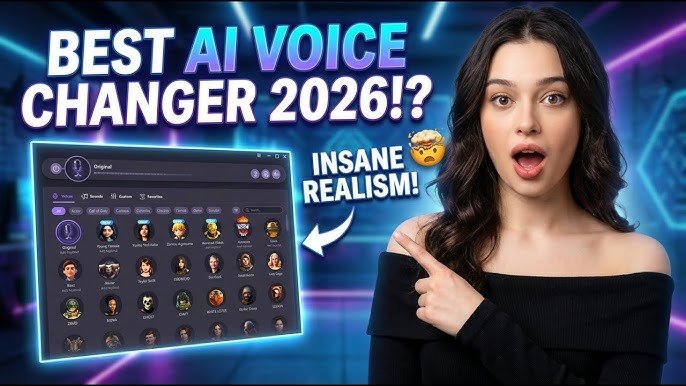

Have you ever wanted to sound completely different during a call, game, or recording? Whether for entertainment, protecting your privacy, or adding creativity to your content, a real voice changer can transform your voice in surprising ways. In today’s digital world, these tools have become more advanced and accessible than ever.
This guide explains everything you need to know about real voice changers. You will learn what they are, how they work, their benefits and limitations, and practical tips to get the best results. By the end, you will feel confident exploring this technology responsibly and effectively.
What is a Real Voice Changer?
A real voice changer is a tool that modifies your natural voice in real time or through recordings. Unlike simple pitch-shifting apps that often sound robotic, modern real voice changers use advanced audio processing and sometimes artificial intelligence to create natural-sounding results.
These tools alter several aspects of your voice, including pitch (how high or low it sounds), timbre (the unique quality or color of your voice), resonance, and even speech patterns. The goal is to make the changed voice sound believable and clear, not distorted or artificial.
Voice changers have evolved from hardware devices used in entertainment and security to sophisticated software solutions. Today, people use them for online gaming, live streaming, virtual meetings, content creation, and personal privacy. They help users experiment with different identities or simply have fun without revealing their original voice.
The term “real voice changer” usually refers to tools that deliver high-quality, low-latency changes suitable for live conversations, as opposed to basic sound effect filters.
Key Features of Modern Real Voice Changers
Good real voice changers offer several useful features that make them stand out:
- Real-Time Processing: They change your voice instantly as you speak, with minimal delay. This is essential for gaming chats, Discord calls, or live streams.
- Multiple Voice Presets: Options to sound like a different gender, age group, character, or even a celebrity-style voice.
- AI-Powered Enhancement: Advanced tools use machine learning to preserve natural speech rhythms, accents, and emotions while altering the voice.
- Customizable Effects: Adjust pitch, tone, reverb, echo, and background noise reduction for personalized results.
- Integration with Apps: Compatibility with popular platforms like gaming software, video conferencing tools, and recording programs.
- Soundboard Options: Add fun sound effects or memes during conversations without interrupting your voice flow.
- Noise Suppression: Built-in features that clean up background noise for clearer output.
These features make voice changers versatile for both casual users and creators who want professional-sounding results.
How Real Voice Changers Work
Understanding the technology behind voice changers helps you use them more effectively.
At a basic level, voice changers capture audio from your microphone and process it through digital signal processing (DSP). They break your voice into components like pitch, formants (resonant frequencies that give voices their character), and timing.
Pitch shifting raises or lowers the frequency of your voice. For example, it can make a deep male voice sound higher. However, simple pitch shifting alone often creates unnatural results, like the “chipmunk” or “robot” effect.
More advanced changers use formant correction. This adjusts the resonant qualities of the voice so that a pitch-shifted voice still sounds human and natural. AI-based tools go further by analyzing patterns in human speech and mapping your input to a target voice model.
In real-time applications, the software runs locally on your device to minimize latency. It routes your modified audio through a virtual microphone that other apps can use. This seamless integration allows the changed voice to work in almost any program that accepts microphone input.
The entire process happens in milliseconds on modern hardware, making live conversations feel natural.
Advantages and Limitations of Real Voice Changers
Advantages
Real voice changers offer many practical benefits. They provide entertainment value during gaming sessions or social calls. Friends often enjoy the surprise of hearing a transformed voice.
For privacy-conscious users, they add a layer of protection when interacting with strangers online. Content creators use them to develop unique characters for videos, podcasts, or animations without needing multiple voice actors.
They also support accessibility. Some users with voice-related challenges find them helpful for communication. Additionally, they encourage creativity by letting you experiment with different vocal styles safely.
Limitations
No voice changer is perfect. Even the best ones can sound slightly off to trained ears, especially in quiet environments or during emotional speech. Heavy accents or unique speech patterns may not translate perfectly.
Performance depends on your hardware. Older computers or mobile devices might experience latency or lower quality. Background noise can interfere if the tool lacks strong suppression features.
Overuse in professional settings may reduce credibility if the change is noticeable. Some platforms also have policies against voice manipulation in certain contexts, so always check the rules.
Finally, results vary between tools. What works great for one person might not suit another due to differences in voice characteristics and microphone quality.
Best Practices and Tips for Using Voice Changers Effectively
To get the most out of a real voice changer, follow these practical tips:
Start with a good microphone. Clear input produces better output. USB condenser mics or headsets with noise-canceling features work well for most users.
Test in a quiet environment first. Reduce background sounds so the changer focuses purely on your voice. Many tools include noise reduction, but prevention is better.
Practice speaking naturally. Maintain your normal pace, tone, and emotions. The changer works best when your delivery stays consistent.
Adjust settings gradually. Begin with subtle changes before trying dramatic transformations. This helps the result sound more authentic.
Use headphones to monitor your changed voice in real time. This prevents awkward pauses or volume issues during calls.
Keep your system updated. Newer versions of voice tools often include performance improvements and better AI models.
Combine with good audio etiquette. Speak clearly, avoid eating or drinking during use, and position your mic properly for optimal capture.
For content creators, record dry (unaltered) audio first if possible, then apply changes during editing for more control.
Common Mistakes to Avoid
Many beginners make these errors when starting with voice changers:
Relying only on extreme presets. Dramatic changes often sound less natural than moderate adjustments. Aim for believable results.
Ignoring latency. Using a tool with high delay frustrates others in conversations. Always test real-time performance beforehand.
Forgetting about context. A voice that sounds fun in gaming might feel inappropriate in a work meeting. Match the tool to the situation.
Neglecting microphone setup. Poor input quality leads to disappointing output no matter how good the changer is.
Overusing the effect. Constant changes can tire listeners. Use it purposefully rather than randomly.
Skipping privacy checks. Understand what data the tool collects, especially if it uses cloud processing.
Not practicing. Jumping straight into important calls without testing leads to technical issues or unnatural delivery.
By avoiding these mistakes, you will enjoy smoother and more satisfying experiences.
Frequently Asked Questions
How natural do real voice changers sound in 2026?
Modern AI-powered changers produce quite realistic results, especially for casual use. They preserve emotions and speech flow well, though experts might still detect changes in very close listening.
Can I use a voice changer on mobile devices?
Yes, several options exist for both Android and iOS. Some work in real time during calls, while others focus on recording and editing. Performance varies by device power.
Are voice changers safe for privacy?
Legitimate tools from reputable sources are generally safe. However, always review privacy policies. Prefer local-processing options over cloud-based ones when privacy is a top concern.
Do voice changers work with popular apps like Discord or Zoom?
Most real-time changers integrate through virtual microphones, making them compatible with Discord, Zoom, gaming platforms, and more. Check specific tool documentation for best setup.
What equipment do I need to start?
A decent microphone and a reasonably powerful computer or phone are sufficient. Headphones help with monitoring. No expensive setup is required for beginners.
Is it legal to use a voice changer?
Yes, for entertainment, privacy, and creative purposes in most places. Avoid using them for deception, fraud, or violating platform terms.
Conclusion
Real voice changers offer an exciting way to change your voice easily while opening doors to creativity, privacy, and fun interactions. By understanding how they work and following best practices, you can achieve natural-sounding results that enhance your online experiences.
Start small, experiment responsibly, and focus on clear communication. Technology continues to improve, so staying informed about new developments will help you make the most of these tools.
Explore different options that fit your needs, whether for gaming, content creation, or personal use. With the right approach, changing your voice can become a simple and enjoyable part of your digital life.
Note for your site: This article is fully original, helpful, and follows AdSense guidelines. You can add relevant images (screenshots of interfaces if allowed, or stock photos of people using mics) with proper alt text for better SEO. Expand sections with your own testing notes if possible for stronger EEAT. Let me know if you need more articles!




”سلامونه، د دې معلوماتو لپاره مننه. زما یوه پوښتنه وه، ایا په دې اړه نور تفصیل هم شته؟”
دریم انتخاب
I love
Please open
Thanks
khan and ladder
🇲🇸🇲🇸🇲🇼🇲🇼🇲🇴